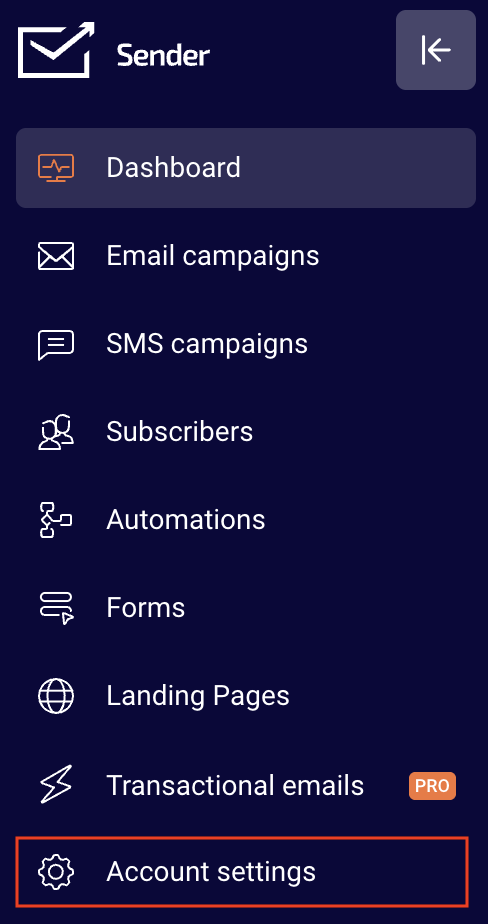
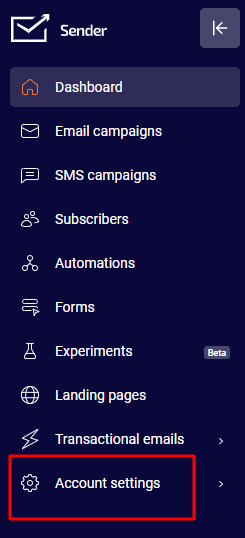
TL;DR: Sender pricing is based on how many subscribers you have. The Free plan covers 2,500 subscribers. Paid Standard and Professional plans let you pick a subscriber tier, and your monthly email limit is 12 or 24 times that number. Enterprise has unlimited emails. If you send rarely, Pay as you go credits have no subscription. Change your plan in Account settings → Billing → Change or renew plan.
Where to find it: Account settings → Billing → Change or renew plan
Sender plans at a glance
| Plan | Subscribers | Emails per month | Role-based seats | Good to know |
| Free | Up to 2,500 | 15,000 | 1 | Sender branding on emails and forms. No SMS |
| Standard | The tier you pick, from 1,000 | 12 × your tier | 3 | No Sender branding. SMS with purchased credits |
| Professional | The tier you pick, from 1,000 | 24 × your tier | 10 | Monthly SMS credits included, advanced automation and reports, priority support |
| Enterprise | Custom | Unlimited | Unlimited | Annual billing only. Dedicated success manager, SSO (SAML v2) and SLA |
| Pay as you go | No limit | 1 credit per email | 1 | No subscription. Credits don’t expire. No SMS |
For example, a Standard plan for 1,000 subscribers includes 12,000 emails a month. Professional for the same tier includes 24,000. See Free plan limits for what the Free plan covers.
How subscription pricing works
- Subscriber tier: you pay for the number of active subscribers you choose. A bigger tier costs more and gives you more emails.
- Billing cycle: pay monthly or yearly. Yearly billing comes with an annual discount. On a yearly plan, your email limits still renew every month on the day you bought the plan.
- Plan renewal: plans renew automatically at the end of each period unless you turn off auto-renewal.
- Auto-upgrade: if auto-renewal is on and you have more active subscribers than your tier allows, Sender moves you to a bigger plan at renewal. You’ll be charged the higher price.
- VAT: prices don’t include VAT. It’s added at checkout based on your country. See taxes and VAT.
Choose or change your plan
Step 1: Open the plans page
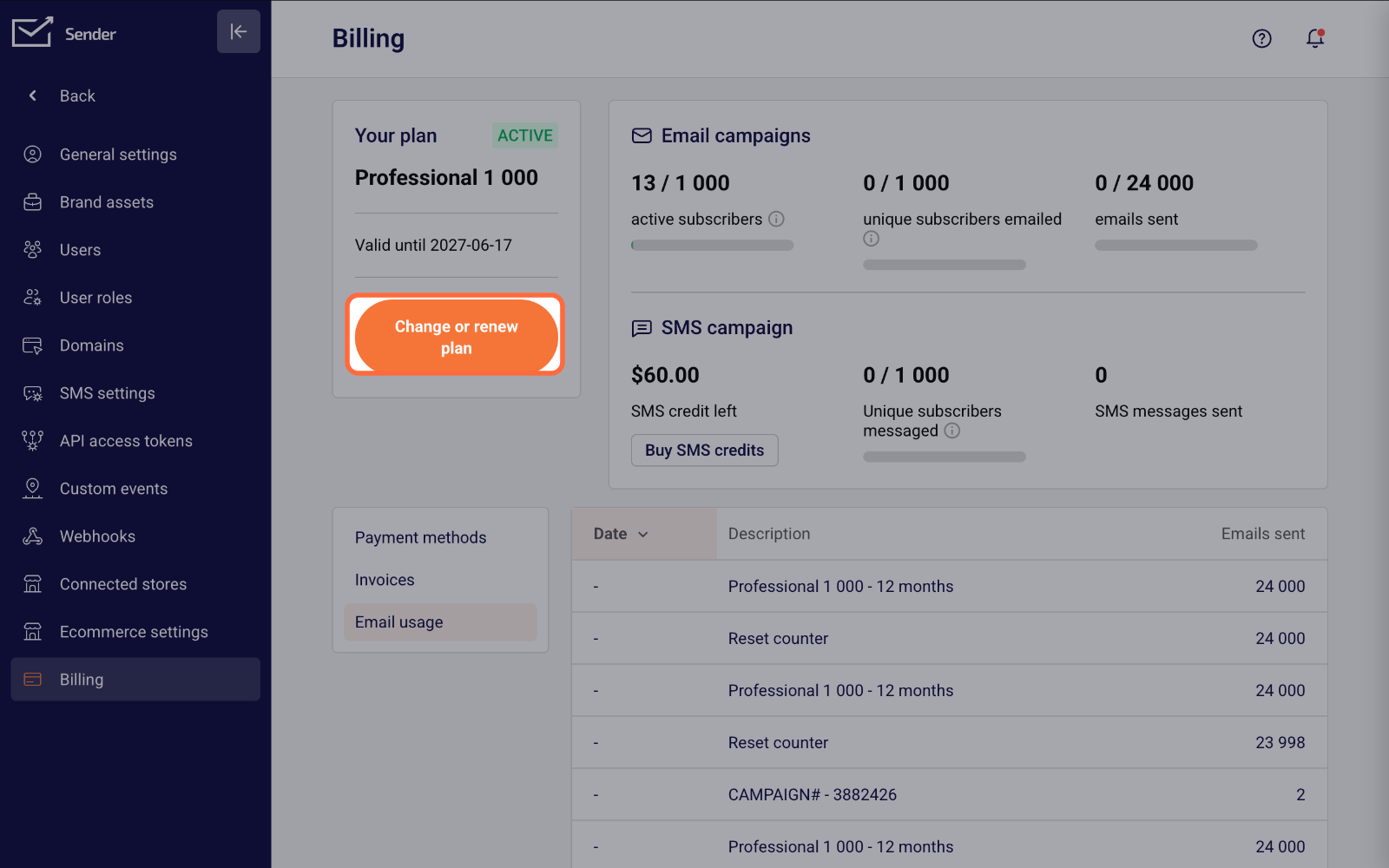
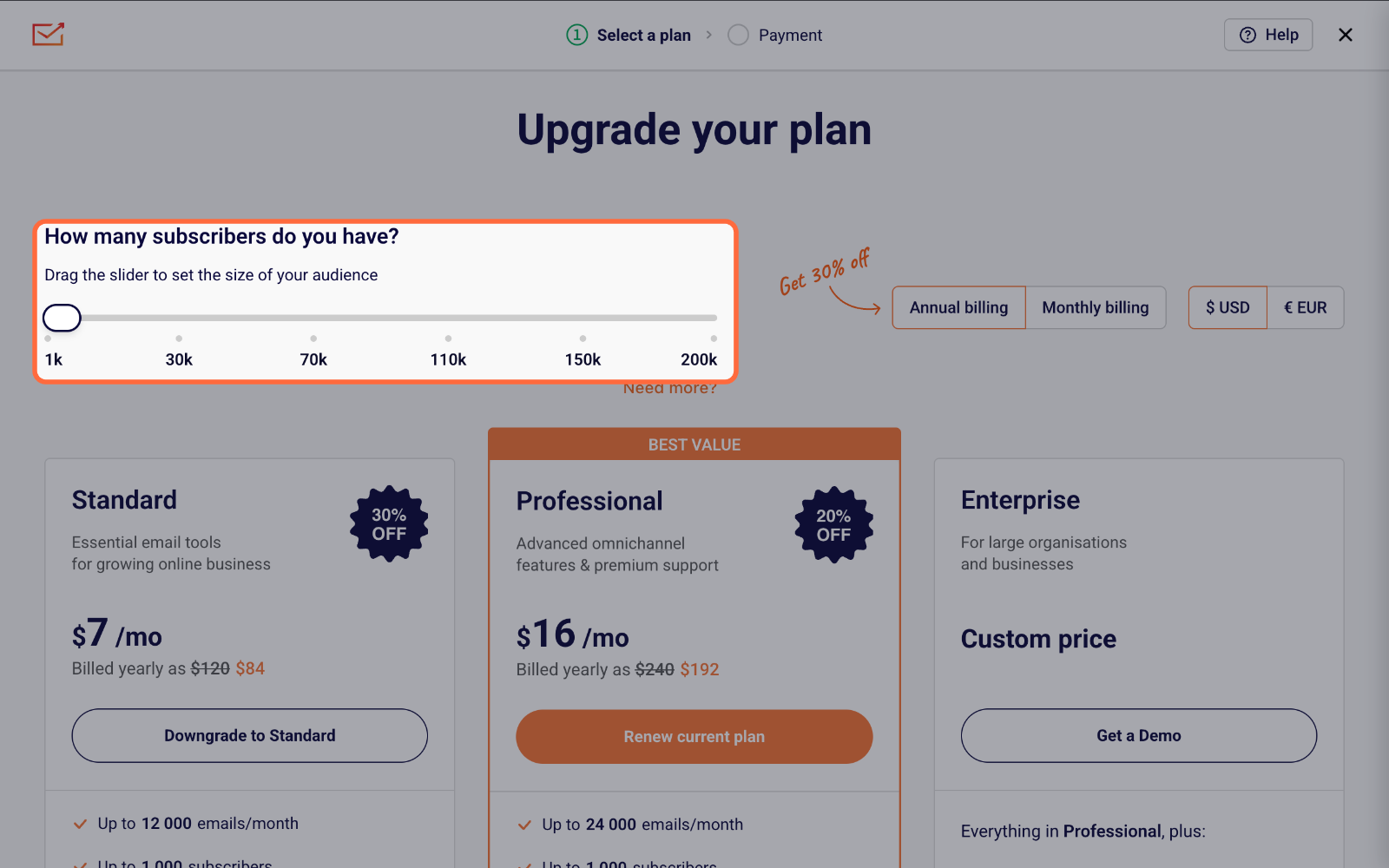
Go to Account settings → Billing and click Change or renew plan. The Upgrade your plan page opens.
Step 2: Set your subscriber tier
Move the How many subscribers do you have? slider to the tier closest to your list size. Prices and email limits update as you move it. Need more than the largest tier? Click Need more?, or use Get a Demo for Enterprise pricing.
Step 3: Pick a billing cycle and currency
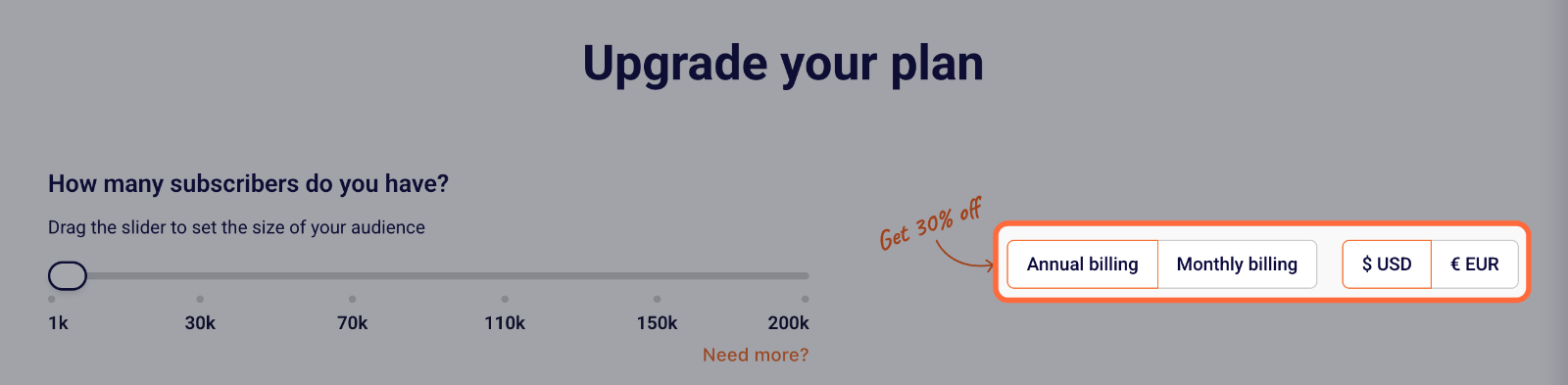
Choose Annual billing or Monthly billing, then $ USD or € EUR. Annual prices show the discounted total next to the crossed-out monthly price.
Step 4: Compare plans
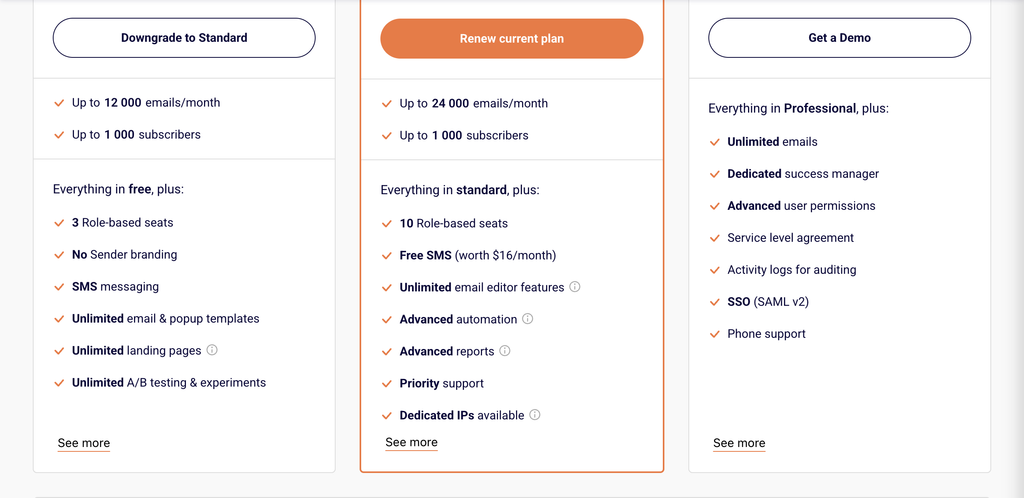
Each plan card lists its main limits and features. Scroll to Compare plans and features for the full list, grouped by area like Campaigns, Forms and Integrations.
Step 5: Check the price and pay
Click the plan you want. The next screen shows any credit from your current plan before you click Pay now. Use this screen to see how much value is left on your plan, even if you don’t buy.
Pay as you go credits
Pay as you go, also called prepaid email credits, is for people who send occasionally. You buy a block of credits upfront. One credit sends one email to one subscriber.
- No subscription and no recurring charge.
- No subscriber limit.
- Credits don’t expire.
- Not included: SMS campaigns, advanced automation, advanced editor features, priority support and dedicated IPs.
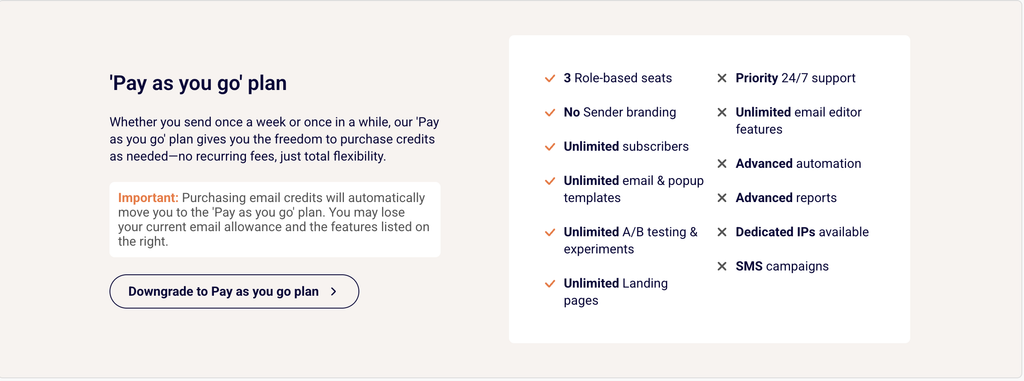
Important: Don’t buy Pay as you go credits to top up a monthly or yearly plan. They aren’t added to your plan. Your account switches from the subscription to prepaid credits instead. To get more emails, upgrade your plan.
Learn more in credits vs monthly plans.
SMS credits
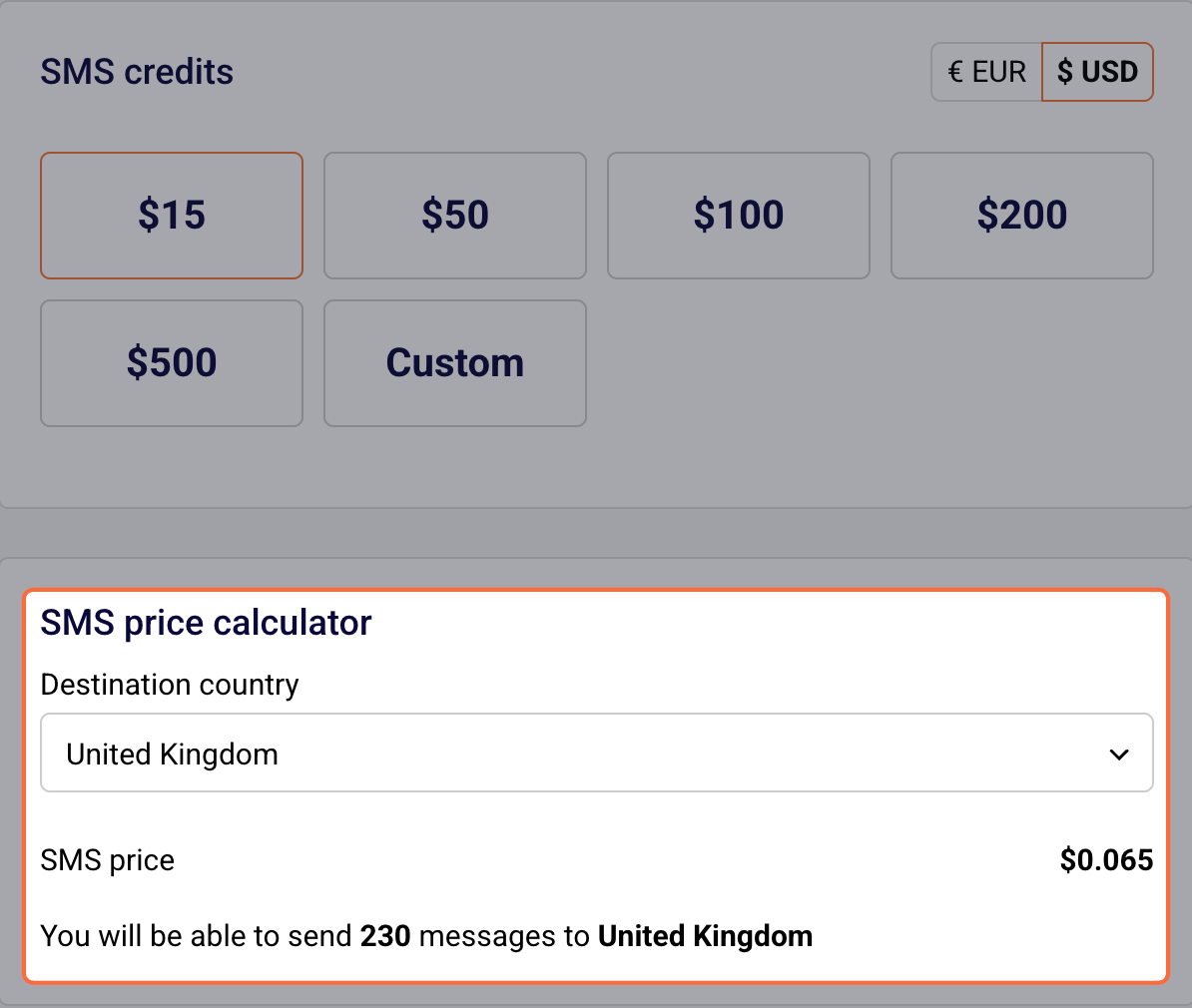
SMS is paid with prepaid credits, separate from your email plan. The price per SMS depends on the destination country. Check the rate with the SMS pricing calculator on the Sender pricing page.
- Professional plans include monthly SMS credits.
- Standard plans can send SMS with credits you buy.
- Free and Pay as you go don’t include SMS.
To top up, click Buy SMS credits on the Billing page. See SMS pricing explained.
Upgrading and downgrading
- Free to paid: your plan switches to the new one. Free plan limits aren’t added on top.
- Monthly to yearly: switch at any time. Your yearly plan runs for one year from the purchase date.
- Bigger yearly plan: if you’re on a yearly plan and need more, buy a larger yearly plan. Sender deducts the unused value of your current plan, so you only pay the difference.
- Yearly to monthly: the unused value of your yearly plan covers part or all of the monthly plan. Anything left over is lost and not refunded.
- Downgrade: do it just before your renewal date. Unused value from the more expensive plan is lost. The new plan’s limits and features apply right away.
- Plan expires: if auto-renewal is off or you cancel, your account moves to the Free plan when the plan ends.
For step-by-step help, see upgrading or downgrading plans.
Invoices and email usage
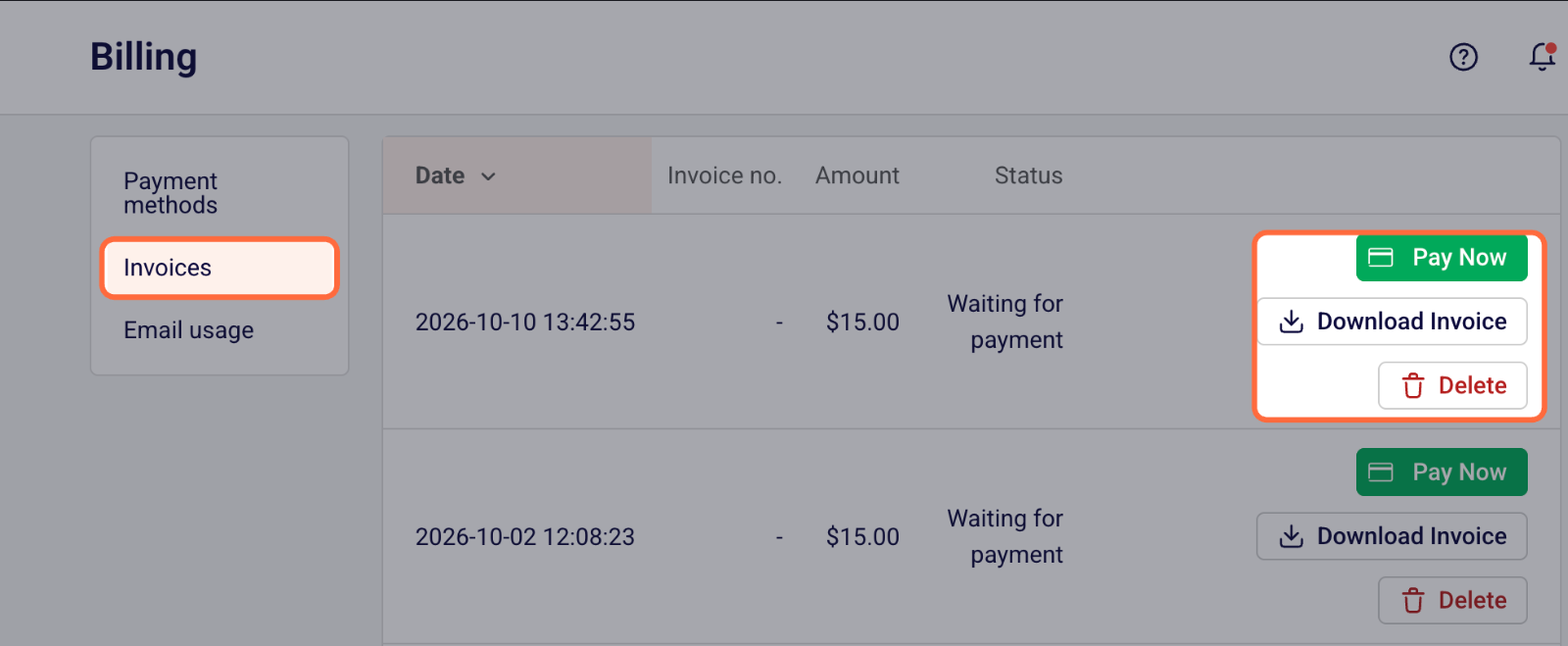
On the Billing page, open the Invoices tab to see each invoice’s date, number, amount and status. Download paid invoices, or click Pay Now on an unpaid one. The Email usage tab shows when your email credits were added and reset. See payment methods and invoices.
If something doesn’t work
- Prices look different than expected. Check the subscriber tier, billing cycle and currency. All three change the price.
- You ran out of emails before the cycle ended. Upgrade to a bigger tier or plan, renew, or wait for the reset. Don’t buy Pay as you go credits.
- Your account switched to prepaid credits. You bought Pay as you go credits while on a subscription. Contact support for help moving back.
- You were charged more at renewal. Auto-renewal upgraded you because you had more active subscribers than your tier. Check the Invoices tab.
- An invoice says “Waiting for payment.” Open Invoices and click Pay Now.
Sender pricing FAQs
Free gets 15,000 emails. Standard gets 12 times your subscriber tier, and Professional gets 24 times. Enterprise is unlimited.
Yes. Yearly billing costs less than paying monthly for 12 months.
No. Buying them switches your account to prepaid credits. Upgrade your plan to get more emails.
No. Use them whenever you like.
If it doesn’t renew, your account moves to the Free plan. You can keep using Sender within the Free plan limits.
No. VAT is added at checkout based on your country.
Standard and higher plans. Professional includes monthly SMS credits. On Standard, you buy credits.
What to do next
Hit a limit? See what happens when you exceed plan limits.