Active subscribers are those subscribers who can get email or SMS communication from you. This is the default status for all freshly imported subscribers.
If you import subscribers’ email addresses, their email and transactional email status will be set to Active.
If you import subscribers phone numbers, their SMS and transactional SMS status will be set to Active.
To see your active subscribers, go to Subscribers, click Email status or/and SMS status choose Active:
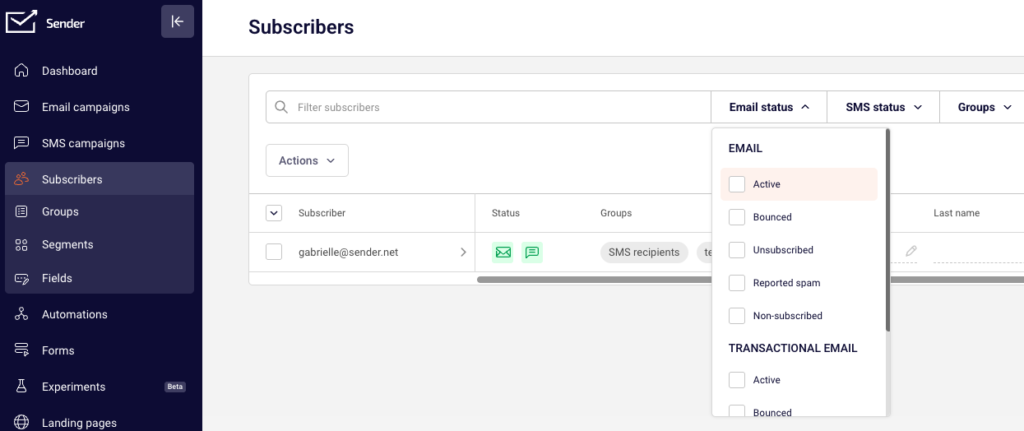
If you want to see all inactive subscribers, choose all but active status, and you will get the list of your inactive subscribers for that specific channel.
If you got stuck on a specific task or can’t find a way to execute a particular job, contact our support team via LiveChat or [email protected] – we’re here to help 24/7.
Leave a Reply