Liquid tags help you personalize your emails by inserting dynamic content like the subscriber’s name, location, product history, or cart items—automatically. They’re a powerful way to create meaningful, relevant, and engaging messages for every individual on your list, without manually customizing each email.
Whether you’re welcoming a new subscriber or nudging someone to complete their purchase, liquid tags make your emails feel personal, timely, and smart.
What are Liquid Tags?
Liquid tag is a templating language that uses placeholders and logic to insert dynamic content into your emails.
{{ … }} → Outputs data (e.g. a name, a product, a price)
{% … %} → Controls logic (e.g. if/else conditions, loops)
| → Applies filters to format or modify data (e.g. upcase, default)
Example:
Hello {{ firstname | default: "there" }}
Inserts a subscriber’s first name, or “there” if the name is missing.
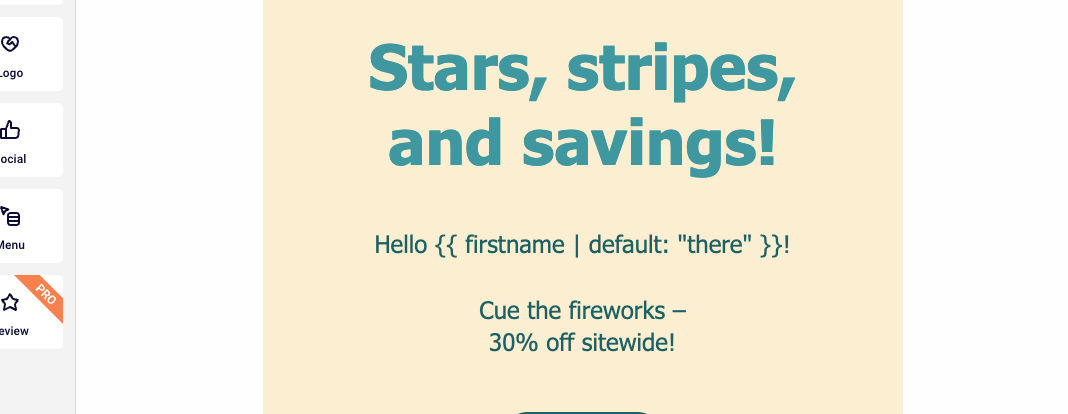
Result:
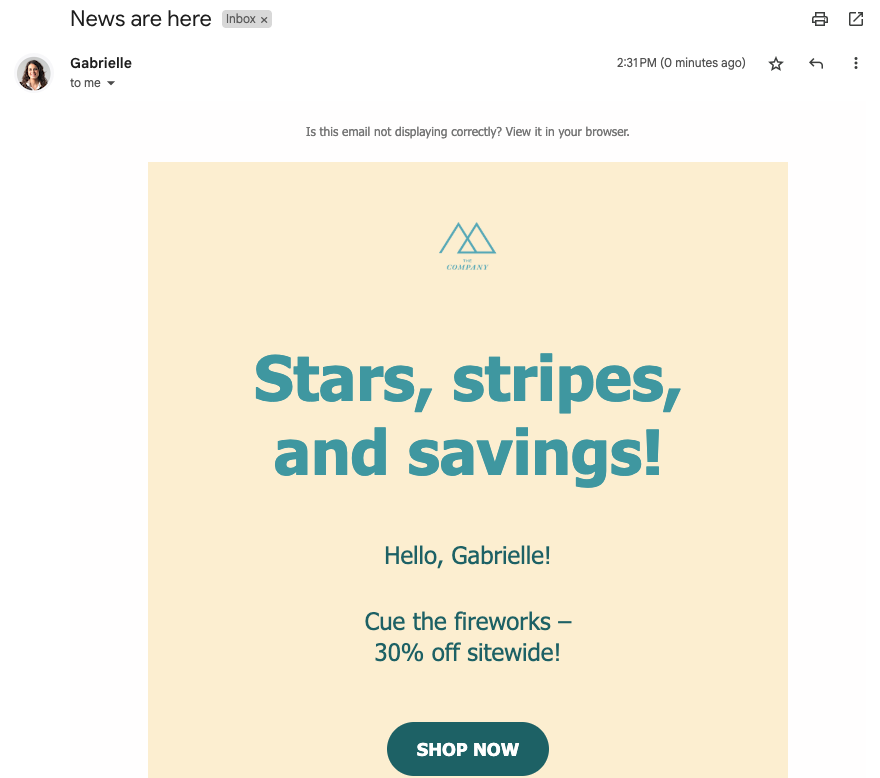
If the subscriber’s name exists in the subscriber list → Hello Gabrielle!
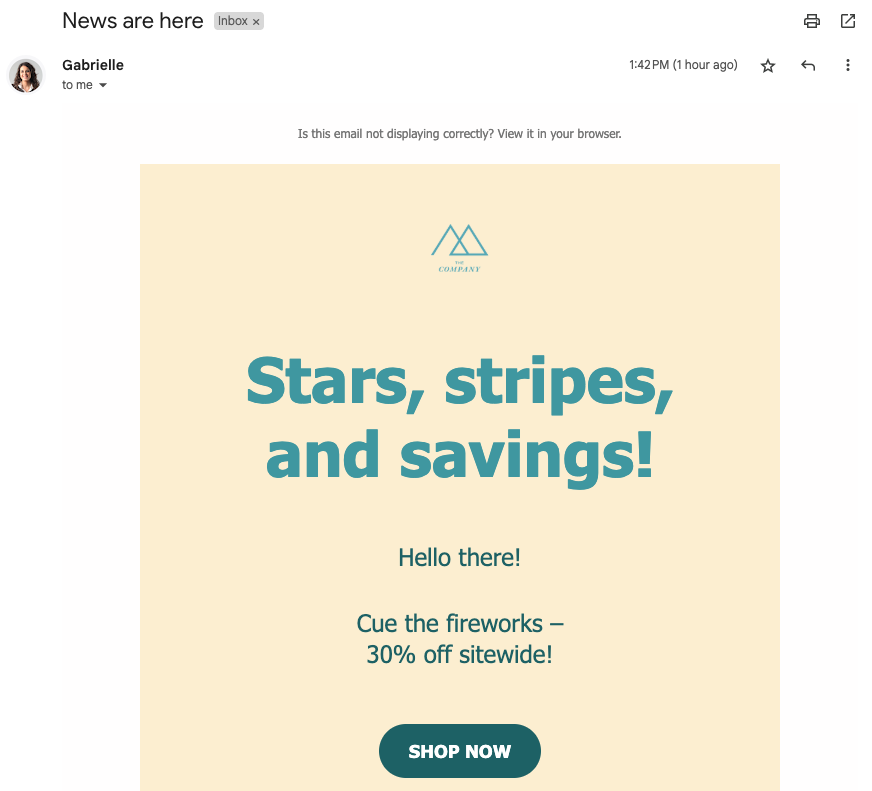
If the subscriber’s name does not exist in the subscriber list → Hello there!
Why Use Liquid Tags?
Personalize at scale (no manual editing)
Improve open rates and conversions
Make subscribers feel seen and understood
Adapt content to location, behavior, or preferences
Keep your campaigns efficient and relevant
Top use cases & examples
1. Personalized subject lines with fallbacks
Use a subscriber’s first name—or provide a friendly default if it’s missing.
Example:
Subject:
{{ firstname | default: "Hey" }}, your exclusive offer is inside!
Why it works:
Adds a personal touch to the inbox
Increases open rates
Makes your message feel written just for them
2. Show relevant products based on interest or segment
If you don’t have real-time product tracking, no problem—you can still create relevant product suggestions by using custom fields or behavioral tags like favorite categories or past clicks.
Example: Let’s say you collect a custom field like favorite_category during signup or through a quiz.
Subject:
Explore more in {{ favorite_category | default: "our bestsellers" }}
Email body:
Hi {{ firstname | default: "there" }},
We thought you might like these picks from our {{ favorite_category | default: "latest collection" }}:
Why it works:
Feels personalized even without product tracking
Easy to implement with custom fields or tag-based segmentation
Allows you to highlight relevant products for each group
3. Insert cart details into recovery emails
Display the items they left behind—complete with name and price.
Example:
Hi {{ firstname | default: "there" }},
You left this in your cart:
{% for item in cart_items %}
{{ item.name }} for {{ item.price }}{% endfor %}
Finish your purchase before it’s gone!
Why it works:
Creates urgency with real product details
No manual entry needed
Increases cart recovery with context
4. Recommend products based on behavior
Show personalized product suggestions based on what the subscriber liked or purchased.
Example:
Based on what you liked, you might also love:
{% for product in recommended_products limit: 3 %}
{{ product.name }} – only {{ product.price }}{% endfor %}
Why it works:
Feels like a curated recommendation
Encourages discovery and upsells
Works well in post-purchase or re-engagement campaigns
5. Location-based content
Change messaging based on the subscriber’s country or region.
Example:
{% if country == "USA" %}
Free shipping across the US!
{% elsif country == "Germany" %}
Versandkostenfrei in Deutschland!{% else % }
Check your local rates at checkout.{% endif %}
Why it works:
Helps global brands adapt content by market
Builds trust with regionally specific details
Improves clarity around shipping, pricing, or offers
Most commonly used tags
Here’s a quick list of the most popular Liquid tags and what they do — copy & paste as needed!
{{ firstname }} → inserts first name
{{ firstname | default: "there" }} → fallback if name is missing
{{ country }} → inserts the subscriber’s country
{% if country == "US" %} ... {% endif %} → shows a section only to US subscribers
{% if customfield == "yes" %} ... {% endif %} → shows a section if a field is set
{% for item in cart_items %} ... {% endfor %} → loops through cart products
{{ product.name | upcase }} → transforms product name to uppercase
{{ product.price | round }} → rounds the price number
If you got stuck on a specific task or can’t find a way to execute a particular job, contact our support team via LiveChat or [email protected] – we’re here to help 24/7.
Leave a Reply